CPXpert
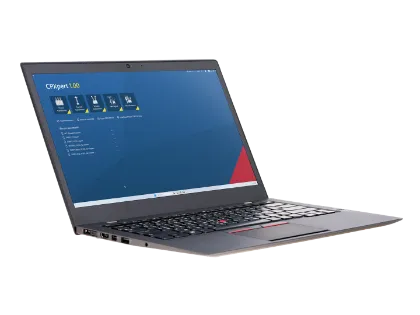
Asset-based test plans with wiring guidance
Guided workflows for consistent execution
Run tests efficiently across multiple assets
Automatically evaluate industry rules
Create clear reports with one click
Sync results with CORTEX Grid
The Intelligence Behind Testing
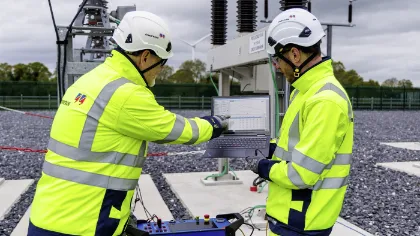
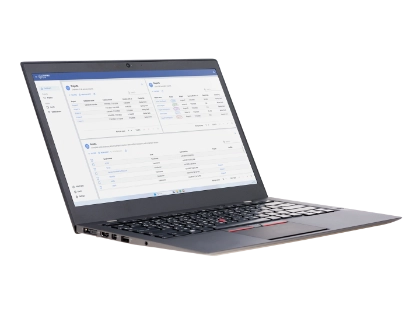
CPXpert is the PC software that makes CPX 200 smarter, faster, and easier to use. It extends testing beyond the device with guided workflows, automated assessment, clear documentation, and connected asset data. For those who need precision without complexity, CPXpert helps reduce effort, improve consistency, and turn every test into a more confident decision.
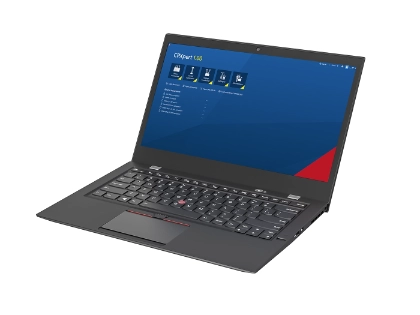
CPXpert: Your Partner for Precise and Efficient Testing
Plan with Precision
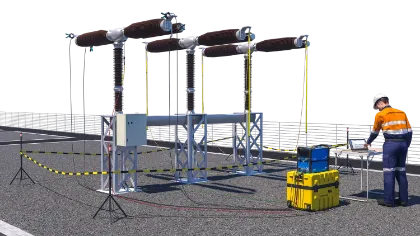
Create asset-specific test plans with the structure and clarity that complex testing demands. CPXpert supports preparation with guided workflows and integrated wiring guidance, helping teams start faster, work more consistently, and reduce avoidable setup effort from the very beginning.
Move Faster, Stay Focused
Handle more without adding complexity. With support for parallel work, multiple windows, and guided execution, CPXpert helps experienced teams save time, stay organized, and keep testing efficient even across demanding workflows and multiple assets.
Assess with Confidence
Turn measurement results into clear decisions. CPXpert supports automated assessment based on defined rules and standards, enabling users to evaluate results faster, improve consistency, and strengthen trust in every test.
One-Click Reporting
From test records to final documentation, CPXpert makes reporting clear, efficient, and presentation-ready. Generate comprehensive reports with less manual effort and deliver results in a format that supports communication, traceability, and confident follow-up decisions.
Turn Results into Insights
CPXpert goes beyond test execution by connecting results with asset data and CORTEX Grid. That means better continuity, stronger context, and a smarter way to manage measurements within a broader asset view, not just a single completed test.
Clarity in Every Step
CPXpert brings structure to every stage of testing. Guided workflows, synchronized asset data, wiring support, and built-in checks help users move faster, reduce avoidable errors, and protect data quality from setup to final reporting, resulting in less rework, less uncertainty, and more confidence in every step.
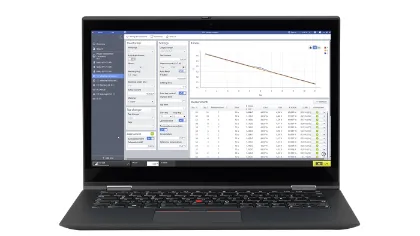
Get to Know the CPXpert
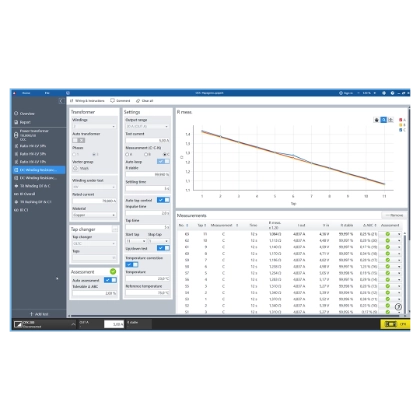
Reporting
Nameplate
Test List
Wiring Diagrams
Asset Data
Assessment
Live-Bar
Test Settings
Plots
Tables
Context-Sensitive Help
Built-in Control
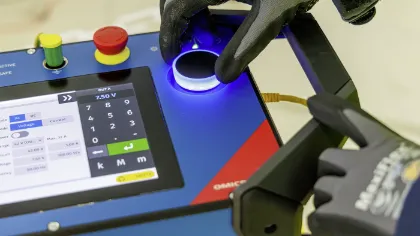
CPX 200 TouchControl is an integrated software experience for fast, self-contained testing directly in the device. It allows users to operate the hardware, execute tests, and review results on the built-in touchscreen – with no laptop, no extra setup, and no unnecessary delay. For deeper analysis and professional reporting, results can be transferred to CPXpert as part of one connected workflow. Designed for efficient on-site work, TouchControl combines speed, simplicity, and confidence in one secure, closed system.

Benefit from Optimized on-site Testing with CPX 200 TouchControl
Ready Out of the Box
TouchControl is there whenever the device is there. No installation, no laptop, no setup within the setup. Just power up CPX 200 and start working. For test engineers in the field, that means less preparation, less dependency on external tools, and a faster path from arrival to the first result.
Made for Touch
Every screen, swipe, and interaction is designed for direct use on the device. TouchControl is optimized for touch from the ground up, creating an experience that feels fast, intuitive, and precise in real testing conditions. It is software designed for the way people actually work on site.
See More - Work Better
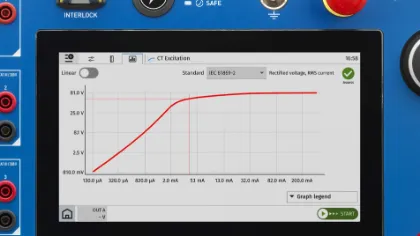
The 9-inch integrated display gives TouchControl its clarity and presence in the field. Fast, readable, and built for demanding environments, it makes operation, status visibility, and result review feel immediate and controlled. Great testing starts with seeing the right information at the right moment.
Guidance at Hand
TouchControl helps users move forward with confidence. Wiring diagrams, signal indicators, and an intuitive interface guide the testing process step-by-step, making complex tasks easier for experienced users and approachable for those new to the workflow. It reduces hesitation and focuses on completing tests correctly.
Connected to Multiple Tests
TouchControl stands strong on its own, but it does not stop there. Results can be transferred to CPXpert for additional information, deeper analysis, and professional reporting. That makes TouchControl more than an on-device workflow. It is the starting point of a connected CPX 200 ecosystem.
From Test Data to Asset Insight
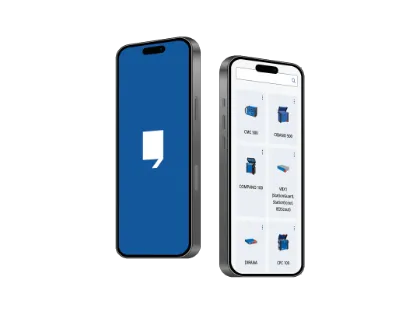
CPX 200 TouchControl is part of a bigger OMICRON ecosystem. Test results can be transferred into CPXpert and aligned with CORTEX Grid – alongside data from CPC 100, TESTRANO 600, CIBANO 500, CT Analyzer, and other OMICRON solutions. This shifts the focus from reviewing a single testing day to understanding an asset throughout its lifecycle. The result is a common data foundation, where historical measurements remain connected, comparable, and ready when decisions matter.



CPXpert and CORTEX Grid: Smarter Asset Testing
Transform the way you test and understand your assets. With CPX 200, every measurement becomes high-quality, reliable data ready for deeper insights. From CPX 200 TouchControl to CPXpert, your data is enriched with context, such as asset condition and historical trends, turning measurements into actionable insights.
With CORTEX Grid, all data is centralized and visualized throughout the entire asset lifecycle. Compare assets, identify patterns, and make informed decisions with confidence. With CPX 200, CPXpert, and CORTEX Grid, testing becomes a smarter, data-driven approach.

Related Products
Can I use CPXpert if I mainly work with TouchControl?
Yes, every CPX 200 user can work with CPXpert. Test results created with TouchControl can be transferred to CPXpert for further processing, documentation, and reporting. In practice, TouchControl is often used for fast execution on site, while CPXpert is used afterward to complete and finalize the work.
Do I need a separate license for CPXpert?
CPXpert can be installed and used free of charge to handle and report TouchControl results. This includes reviewing measurements, adding asset and location data, and creating reports after testing.
A license is only required for executing tests directly in CPXpert. With the CPXpert Advanced license, users can run tests on the PC, depending on available test licenses.
Note: Some tests are exclusively in CPXpert and cannot be executed via TouchControl.
CPXpert is included from the Standard package onward, so users can benefit from both TouchControl and CPXpert as part of one connected workflow.
Why should I use CPXpert instead of only using TouchControl?
TouchControl is optimized for speed and simplicity on the device.
CPXpert goes deeper with:
- more guided workflows
- broader test coverage
- multi-asset handling (e.g., feeders, complex setups)
- advanced data handling and reporting
The result is less manual effort, fewer mistakes, and higher data quality, especially in more complex testing scenarios.
Does CPXpert offer more tests than TouchControl?
Yes, CPXpert provides the full range of supported tests and workflows for CPX 200, including advanced and more complex applications. TouchControl focuses on fast, essential on-site execution, while CPXpert enables deeper and more comprehensive testing when required.
What is the role of CORTEX Grid in the workflow?
CORTEX Grid connects testing data across multiple jobs.
It allows users to:
- store and manage asset data
- combine results from multiple OMICRON tools
- access lifecycle data instead of isolated test reports
This shifts the focus from one testing day to long-term asset insight.
Can CPX 200 data be combined with other OMICRON systems?
Yes, data from CPX 200 (CPXpert and TouchControl) is compatible with CORTEX Grid and can be combined with results from other OMICRON software, like:
- Primary Test Manager (CPC 100, TESTRANO 600, CIBANO 500, FRANEO 800, and DIRANA)
- CT Analyzer Suite (CT Analyzer)
- CMC CT Check (CMC 500)
Will I loose flexibility by using guided workflows in CPXpert?
No, CPXpert includes all workflows available in TouchControl and extends them with additional and more guided workflows for complex testing scenarios. Users can still work flexibly, but benefit from more structure, better guidance, and additional capabilities when needed.
This means you will not lose freedom but gain efficiency, consistency, and support, especially when working with multiple assets or more demanding test setups.
Can I customize reports?
Yes, CPXpert creates a structured Microsoft Word report that you can easily adjust to your needs.
You can add your own content, adapt formatting, and tailor it as required.
If you are working with CORTEX Grid, reporting can be automated and further customized. It allows you to define templates, combine multiple assets into a single report, and select exactly what data to include.
If you are not using CORTEX Grid, you still have full flexibility. You can copy measurement results directly into tools like Excel to create your own analysis or charts and then bring them back into your final report.
Can I compare CPX 200 results with data from Primary Test Manager?
Yes, comparing test results across different OMICRON tools is supported via CORTEX Grid.
Instead of just comparing individual measurements, CORTEX Grid allows you to go further – for example, by comparing results with factory data, analyzing trends over time, or evaluating entire fleets of assets.
While device software like CPXpert or Primary Test Manager typically focuses on the results of a specific testing session, CORTEX Grid brings this data together and connects it across the asset lifecycle.
Using OMICRON Continuity, data from CPXpert, Primary Test Manager, and other tools can be uploaded and combined in one place. This creates a consistent data foundation for comparison and more advanced analysis, accessible both in the office and in the field.
What makes the CPX 200 software so unique?
It is not just about features. It is about how the software evolves over time.
CPX 200 software is built to support real workflows, while being clear, reliable, and consistent for daily use. But what makes it stand out is the long-term commitment behind it. We continuously maintain and improve our software, keeping it compatible with new systems, up-to-date with current standards, and aligned with real user needs.
This is not new. For example, the CPC 100 software has been updated for over 25 years with bug fixes and new features provided free of charge.
The same mindset applies to CPX 200. It is not just software for today’s testing tasks, but a platform that designed to remain relevant and supported, and to be continuously improved in the years to come.
Need help deciding?