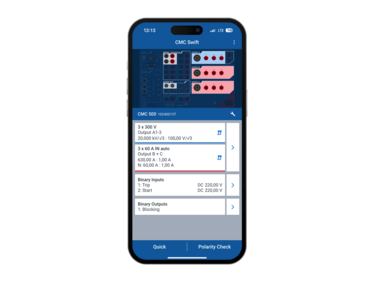
CMC Swift
Easy and flexible control of your CMC test sets
Flexible. Fast. Smart.
Designed for convenient and flexible control of your CMC test sets, CMC Swift offers maximum freedom for simple test tasks. With CMC Swift you can output analog voltages and currents via your CMC and feed in or measure binary signals. Wiring and control system checks as well as pickup and trip tests of protective functions, such as overcurrent protection, can be performed quickly and easily. In combination with a handheld CPOL device, polarity checks can be easily performed.
Key features
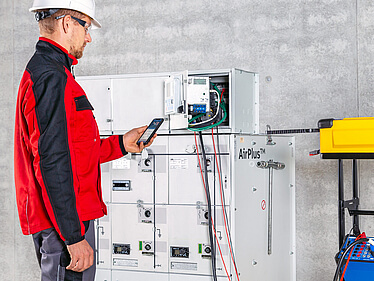
- More freedom of movement and comfort: Move completely freely and control your test set comfortably from your hand in any situation.
- Effortless operation: Make your entries effortlessly via the application-optimized keyboard, multiple input modes, and switching between primary and secondary values.
- Watch events live: CMC Swift is also excellent for troubleshooting, as all events are logged live in an intelligent event list.
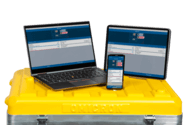
- Perform simple checks: With CMC Swift, you can perform simple checks using mobile devices, whether Android, iOS, or Windows.
- Perfectly suited for polarity and wiring checks: With CMC Swift you can easily output a polarity check signal via your CMC, including phase identification for three-phase polarity checks using the CPOL3 accessory.
How to use CMC Swift with your test set
What are the system requirements for CMC Swift
CMC Swift can be used with mobile devices running Android 10, iOS 15, and Windows 10 version 22H2 (build 19045) or higher.
Which test sets can I control with CMC Swift?
CMC Swift supports the CMC 500*, CMC 430, CMC 356, CMC 353, and CMC 256plus test sets.
Which CMC firmware version do I need?
We generally recommend using the latest firmware version. Download the latest firmware version from our Customer Portal.
How do I connect my mobile device (Android and iOS) to my test set?
Plug the Wi-Fi USB adapter into your test set, activate the WLAN of your mobile device and connect to the network of your CMC test set. The default password is twice the serial number of your test set. After you have started CMC Swift, tap on "Choose test set" and select your device.
*CMC Swift is included in the CMC 500 Standard package and above. For the Essential package, CMC Swift can be purchased separately.

How to get CMC Swift
You can download the CMC Swift App free of charge in the Google Play Store (for Android), the App Store (for iOS), and Microsoft Store (for Windows).
Solutions for:


Videos
CMC Swift - Bringing a Mobile Testing App to Life - Energy Talks #64
CMC Swift - Wireless control of your CMC test set with mobile devices
Training

To ensure that you receive the highest quality products and enjoy full customer support, please acquire our products exclusively through our authorized sales channels as portrayed on this site.